10CRIC app download: Android & iOS install guide

10CRIC app download guide showing a phone installing a betting app

Downloading the 10CRIC mobile app is straightforward once you know where to get the official installer and which phone settings to check.

This guide walks you through a safe 10CRIC app download on Android or iOS, plus quick fixes for the most common install and login issues so you can start betting faster.

Nalin Deshpande Jan 30, 2026 Last update

Before you download (quick checklist)

A clean install is mostly about preparation. Use this checklist before you start:

  • Confirm device compatibility: Android or iOS device with enough free storage for the app and updates.
  • Use the official source: Prefer the links from the 10CRIC site and pages like the 10CRIC APK download guide.
  • Stable connection: Wi‑Fi or steady mobile data to avoid a corrupted download.
  • Know your login details: If you already have an account, keep your phone number/email and password handy for app login.
  • Plan for updates: Bookmark the app update page so you can install new versions smoothly.

10CRIC app download for Android (APK install)

Android installs are usually done via an APK file (an Android installer). Because APKs are installed outside the Google Play flow, Android may ask for an extra permission the first time.

Step-by-step: how to install 10CRIC app on Android

Step 1: Get the official APK link

Open the official 10CRIC site and go to the Android download section. If you need a direct walkthrough, follow the /10cric-apk-download page.

Step 2: Download the APK

Tap the download button and wait for the file to finish. Avoid downloading multiple copies—use the newest file only.

Step 3: Allow install from this source (if prompted)

If Android blocks the install, open Settings when prompted and allow installs from your browser or file manager. Then return to the APK.

Step 4: Install and open

Tap the APK file, confirm the prompts, and open the app. Then sign in or create an account.

Where to find the downloaded file

If the installer doesn’t auto-open, look in:

  • Downloads folder (Files app / file manager)
  • Your browser’s Downloads list
  • A notification that says the download completed

If Android says “App not installed”

Try these quick fixes:

  1. Delete the APK and re-download it from the official source.
  2. Free up storage (apps, videos, downloads) and try again.
  3. Make sure you’re not attempting to install an older version over a newer one. If needed, uninstall the old app first.

10CRIC app download on iPhone (iOS)

On iOS, app installation depends on the distribution method available for your region and device. The safest approach is always to start from the official 10CRIC site and follow the iOS instructions shown there.

Step-by-step: how to install on iOS

  1. Open Safari (recommended) and go to the official 10CRIC website.
  2. Tap the iOS download/install option presented on the site.
  3. If iOS asks you to confirm a profile/app source, follow the on-screen steps.
  4. Open the app and sign in.

Trust and permissions on iOS (what to expect)

Depending on how the app is delivered, iOS may require you to confirm trust for the developer/profile in your settings. Only proceed if the prompt clearly matches the official 10CRIC installation flow you started from the website.

If you’d rather avoid profile-based installs, you can also use the mobile website in Safari as a fallback.


First-time setup after installing

Once the 10CRIC mobile app is installed, spend two minutes setting it up correctly:

  • Log in: Use the same credentials as the website. If you get stuck, use the app login help page.
  • Set your language: The platform supports English and Hindi (other languages may be available based on your device/region).
  • Enable key notifications (optional): For bet settlement updates, promos, and security alerts. If you dislike notifications, keep only security on.
  • Check cashier basics: Review deposit minimums and available payment methods before you fund your balance.

Fix common download and install issues

Most problems come from permissions, connectivity, or outdated files. Here are the fastest fixes.

The APK won’t download (Android)

  • Switch from mobile data to Wi‑Fi (or vice versa).
  • Clear your browser cache and retry.
  • Make sure your phone isn’t blocking downloads from the browser.

“Can’t open file” or “Parse error” (Android)

  • The file may be incomplete: re-download the APK.
  • Check that your Android version supports the current app build.

Install succeeds but the app crashes

  • Restart your device.
  • Ensure you installed the latest version; if not, follow the app update steps.
  • Clear app cache (Android Settings → Apps → 10CRIC → Storage → Clear cache).

Login works on web but not in the app

  • Double-check the exact phone/email used during registration.
  • Turn off VPN if it causes location/session issues.
  • Reset your password via the login screen or follow the app login troubleshooting tips.

Security, permissions, and safe downloading

Because betting apps handle accounts and payments, downloading safely matters.

Only grant permissions you understand

  • Storage/Files (Android): Needed to open/install the APK. You can usually revoke it after installation.
  • Notifications: Optional; helpful for bet updates and security alerts.

If the app requests permissions unrelated to its function (for example, unnecessary access to contacts), pause and verify you’re using an official installer.

How to verify you’re using the official installer

  • Start from https://10cric.casino and follow the download flow from there.
  • Avoid “modded” or mirrored APK sites.
  • Keep one clean copy of the installer and delete old versions.

Quick specs and what the app includes

Below is a quick snapshot of what you can expect from the 10CRIC mobile app based on the brand’s published app details.

ItemDetails
Supported OSAndroid, iOS
App costFree
APK file size12.70 MB
Installed app size37.31 MB
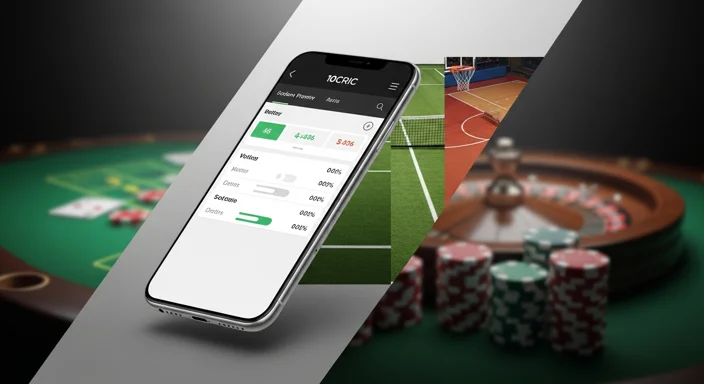
Main sectionsSportsbook, Live betting, Slots, Live casino, Jackpots, Table & Cards

If you’re specifically looking for the Android installer, the dedicated 10CRIC APK download page explains the process in a focused way.


Responsible play notes

Betting is meant to be entertainment, not a way to earn guaranteed income. Set a budget before you deposit, take breaks, and avoid chasing losses—especially during live betting sessions.


FAQ

Is the 10CRIC app download free?

Yes. The 10CRIC mobile app is free to download and install. You only spend money when you choose to deposit and place bets.

How do I install the 10CRIC app on Android?

Download the official APK from the 10CRIC website, then follow the prompts to install. If Android blocks it, allow installs from your browser/file manager and retry.

Why does Android ask for “install unknown apps” permission?

APK installs happen outside the Google Play store, so Android requires explicit permission for the app that’s opening the installer (your browser or file manager).

Can I use 10CRIC on iPhone?

Yes, iOS is supported. Start from the official 10CRIC site and follow the iOS install steps shown there. If iOS asks you to trust a profile/source, only continue if it matches the official flow.

What should I do if the app won’t update?

Install the latest version using the official update path. See the /app-update guide for safe update steps and quick fixes if the install fails.

Is it safer to use the mobile site instead of the app?

Both can be safe when accessed via the official site. If you prefer not to install anything, using the mobile website in your browser is a good alternative.